DefensX Shadow AI Protection
Quick Summary
Audience: MSP Owners · Security Leads · Admins
Read time: ≈ 4 minutes
Why read:
See how ungoverned GenAI use (Shadow AI) creates invisible risk – and potential ways to stop leaks while keeping AI productivity intact.
Chapter 1 - What Is the Shadow AI Beast
1| What Is Shadow AI and Why the Browser Matters
Generative AI now drives everyday work; 96% of AI tools operate in browsers, where 85% of employee tasks already occur. Legacy DLP and CASB systems monitor networks or clouds; but not the in-tab exchanges where data actually moves.
Shadow AI is the unapproved or unmanaged use of generative tools, personal ChatGPT, Gemini, DeepSeek, etc., that quietly move regulated or proprietary data outside enterprise visibility.
Total blocking feels safe but backfires: users shift to personal devices, widening the blind spot.
The modern security perimeter is the browser, and effective defense starts there.
2| What the Data Shows
Our data based on more than ten thousand SMEs in the US, virtually 100% show some Shadow IT activity, ranging between critical and severe impact levels. Among the top categories observed, AI and LLM services consistently rank first.
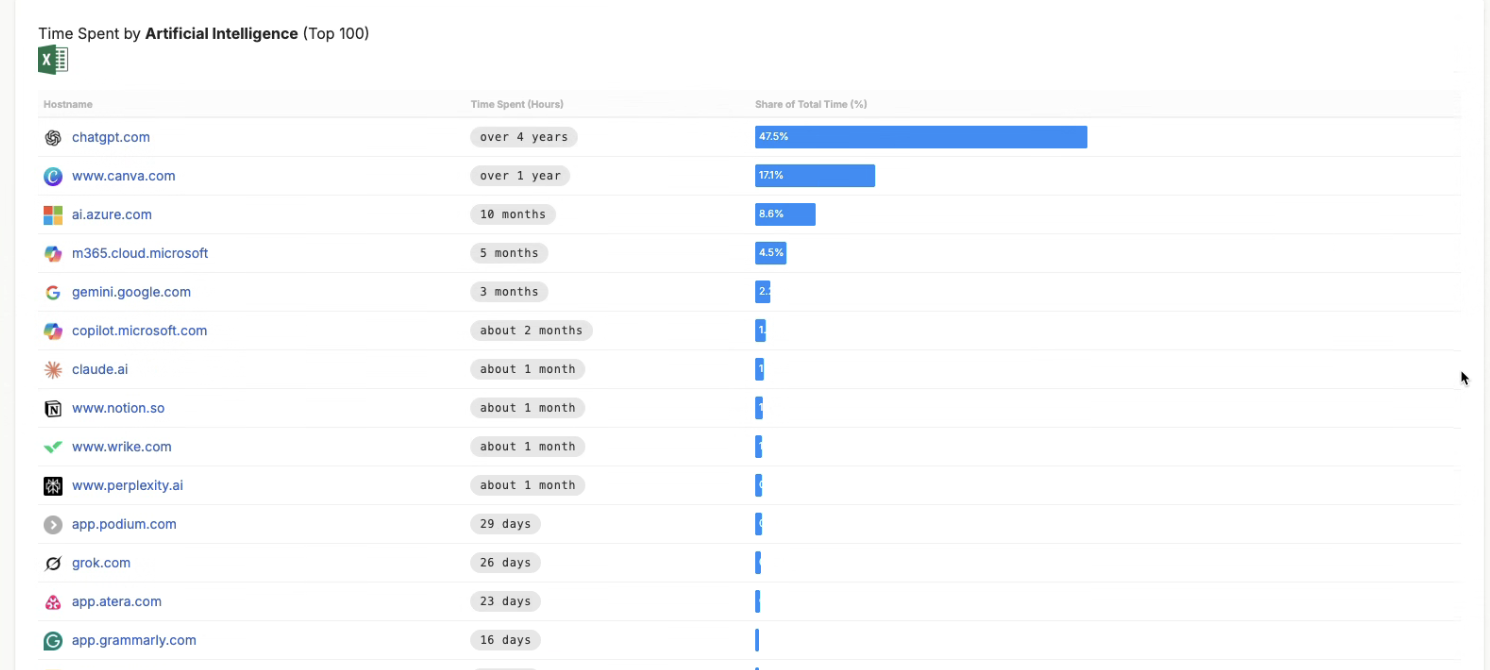
This evidence confirms that AI adoption is universal; but often unmanaged, leaving the burden to MSPs’ shoulders.
3| The Design Workspace Incident - When Good Intentions Leak
Following is a real-world example; names, roles and some other details have changed to protect privacy, but the scenario and impact is real.
Elena, a product designer at a 40-employee SME, wants sharper marketing copy.
She copies portions of a client brief; names, emails, design details into an external LLM.
Within seconds, confidential information leaves the organization.
Network DLP and CASB controls which were active never see it. Her company was buying managed services from a reputable service provider and she was thinking that if it is allowed, I am safe to use.
The Damage
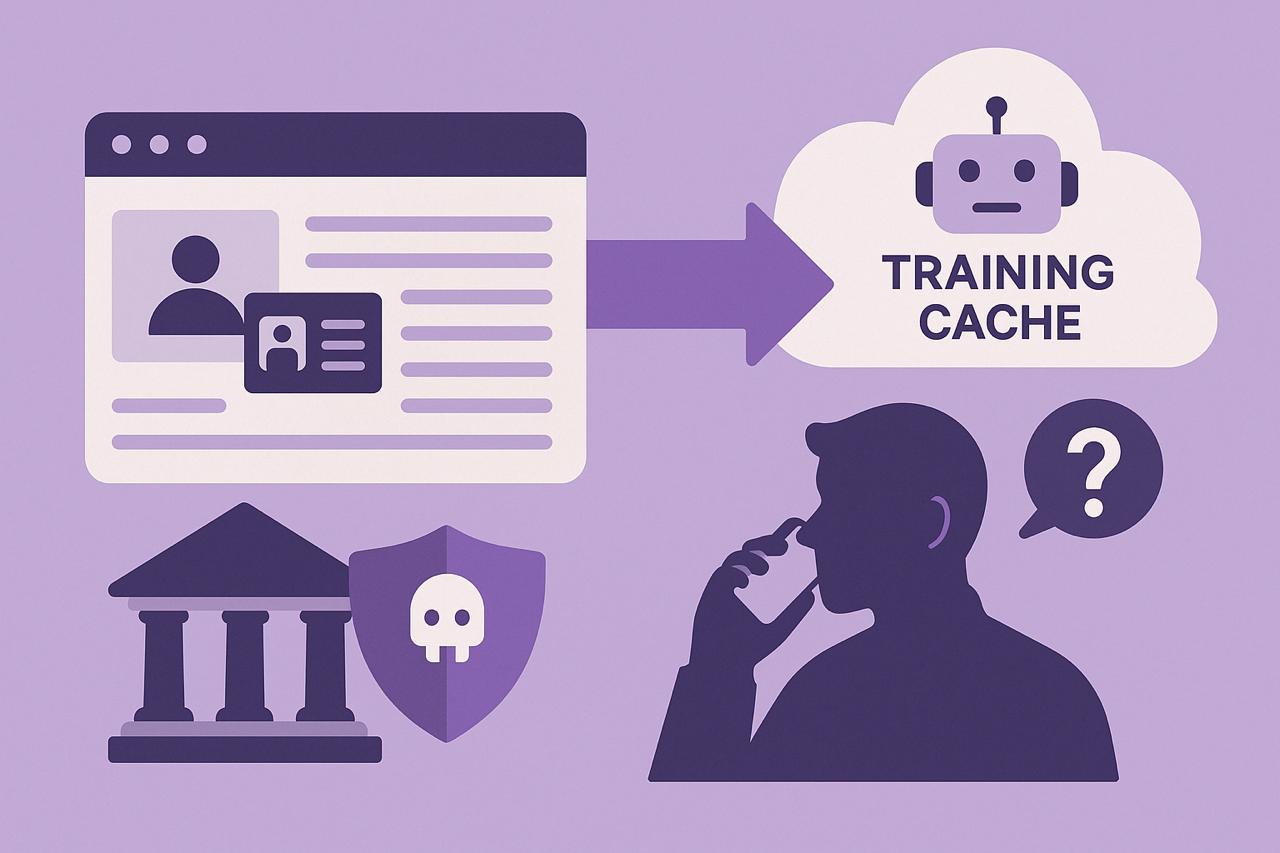
Client PII and unreleased assets enter an external model’s training cache.
The SME serves a government entity; during a regular audit, they’re asked whether any client data is shared with AI systems.
The MSP supporting the SME receives an urgent call: “Did we leak any data to AI?”
Audit logs show only DNS/URL visits, no visibility into what was sent.
In audit language: absence of proof is treated as potential exposure.
A simple productivity shortcut becomes a compliance risk.
4| MSP Responsibility and Aftershock
The MSP begins internal review. Firewall, proxy, and endpoint logs reveal nothing. Hours lost; tickets mount; client confidence slips.
Consequences
- Time wasted on forensics that cannot prove anything
- Escalations and executive pressure
- Reputation damage for “not even understanding it”
- Revenue erosion from non-billable incident hours
MSPs need a way to see and control AI use hassle-free.
5| The Same Scenario, Now Protected by DefensX
Elena again uses her favourite AI tool, but now DefensX controls are enabled.
The organisation first enables AI Data Protection in Monitor-Only mode:
- Monitor AI by category.
- Disallow typing if the user is not logged in with a corporate identity or if the AI tool uses submitted data for training.
- Potentially sensitive elements are flagged as redaction candidates: no prompts blocked.
After a Week - AI Dashboard Review
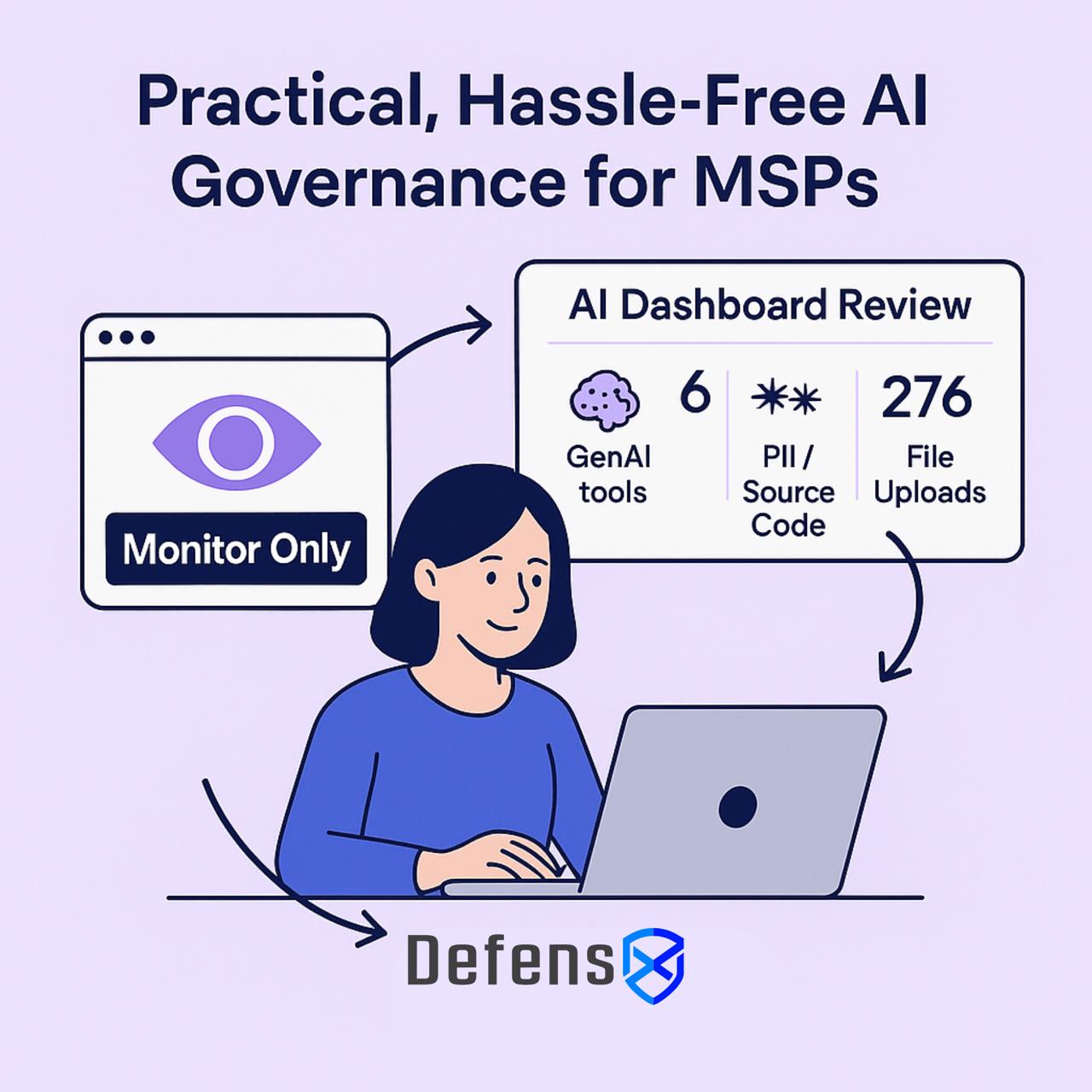
- 6 different GenAI tools used across 98 hours of activity
- 46 prompts containing PII or source code
- 276 file uploads (Excel · PDF · PowerPoint · Word)
- Telemetry-only: no prompt content stored; only usage metadata and candidate flags
The client now sees actual usage patterns and can approve enforcement rules without disruption.
Once approved, the admin switches AI Data Protection to Redact and Inference-Only for the design team:
- Approved AI tools (OpenAI & Copilot) remain accessible; others blocked.
- PII protection prevents sensitive data entry in LLM prompts.
- File uploads to LLMs are limited or sanitised per policy.
DefensX records each prevented-leak event (who, when, what was redacted).
The MSP report shows exposures automatically contained.
Elena continues working normally but securely.
DefensX prevents · Nexi reveals · Policy evolves
Mode Overview
| Mode | Data Handling | User Impact | Evidence |
|---|---|---|---|
| Monitor-Only | Detect & log (redaction candidates; telemetry-only) | None | Nexi ledger entries |
| Enforced | Redact/mask in-browser; optional inference-only | Minimal | Nexi prevented-leak records |
Chapter 2 - Practical, Hassle-Free AI Governance for MSPs
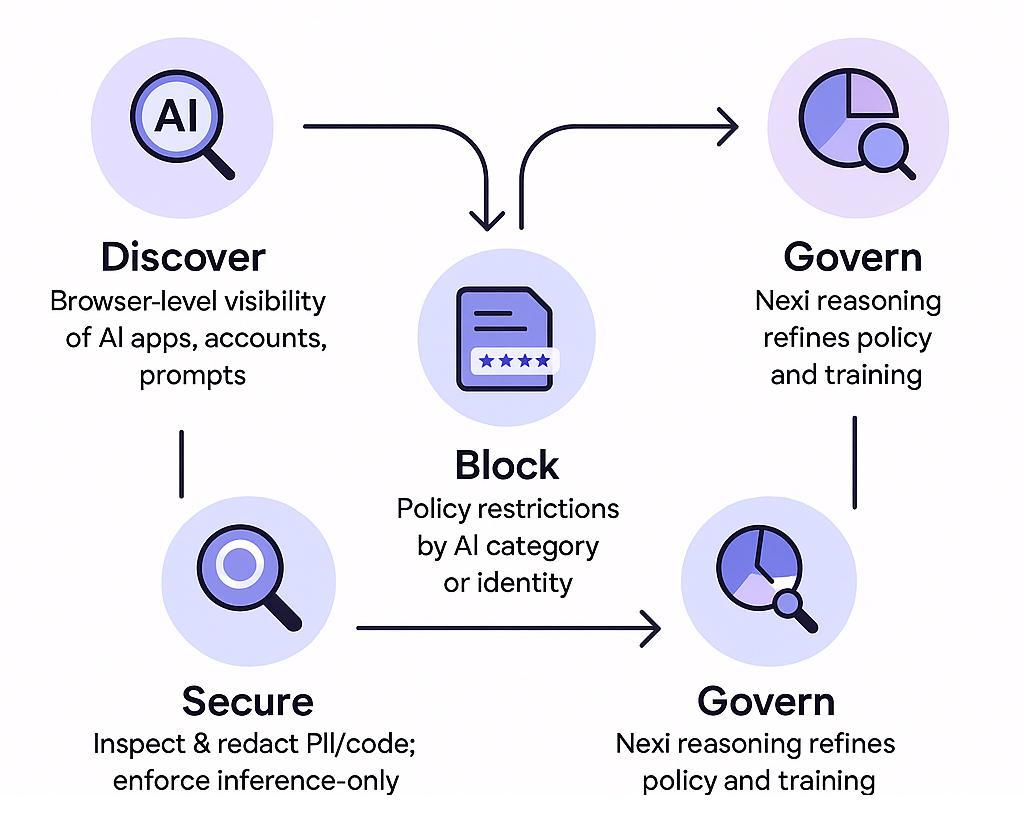
1| Governance in Four Steps
A governance model that balances cost, visibility, and security turns AI risk management into a continuous loop:
| Step | Purpose | Example |
|---|---|---|
| Discover | Browser-level visibility of AI apps, accounts, prompts | Detect personal Gemini logins via TIDB telemetry + identity context |
| Block Access | Policy restrictions by AI category or identity | Allow Copilot via Entra ID; block ChatGPT personal |
| Secure Data | Inspect + redact PII/code; enforce inference-only | Prevent code fragments leaving the organisation |
| Govern Data | Nexi reasoning refines policy and training | Tighten rules for repeat-risk users |
Recommended practice: Start in Monitor-Only for 7–14 days to baseline behaviour before enforcement.
1.1 Discover - Know Your AI Surface
MSPs cannot manage what they cannot see. DefensX provides browser-native visibility unavailable to network DLP, CASB, or endpoint agents.
- Which AI apps are used and how often
- Corporate vs personal account usage
- Prompt volume and redaction-candidate events
- Extension permissions and risk ranking
Visibility turns Shadow AI into governed, quantifiable activity.
1.2 Block - Control Access by Category
Blocking doesn’t mean banning AI, it means smart allow-listing.
- Use Web Filtering to classify domains under the Artificial Intelligence category.
- Apply category-level rules (Allow / Block / Monitor) and identity checks (corporate SSO required).
- Optionally gate typing until corporate login or inference-only mode is confirmed.
1.3 Secure - Protect Data in Real Time
This is where DefensX becomes uniquely powerful. Because DefensX operates inside the browser, it can inspect, redact, and contain sensitive data before it leaves the device.
- Enable AI Data Protection to inspect prompts and responses in-browser.
- Redact PII and source code before transmission; limit file uploads to LLMs or auto-sanitise.
- Enforce inference-only for external models to prevent training on enterprise data.
1.4 Govern - Evolve Through Insight
DefensX doesn’t just block and redact — it gives MSPs and customers intelligence to evolve policy. Nexi turns encrypted logs into plain-language answers: Who used which AI tools? When were redactions triggered? You can also use insights to update policy and launch Autopilot micro-training for repeat-risk users.
2| Unified Browser-Native Security Architecture
Three tightly integrated layers; extension, endpoint agent, and cloud intelligence combine to secure AI, web, and human behaviour at the browser level.
| Pillar | Function | Benefit |
|---|---|---|
| AI Data Protection | Real-time inspection and redaction | Stops AI data leaks before they happen |
| Web DLP | File/Form/Clipboard/Visual controls + Watermarking | Prevents non-AI exfiltration |
| Human Risk Management (AutoPilot) | Behaviour analytics + micro-training | Cuts repeat risky behaviour |
3| DefensX + Nexi Under the Hood
Protection and governance work together: the browser enforces; Nexi explains and helps optimise.
- Intercept & Inspect: LLM traffic remains in-browser; PII and code redacted in-flight.
- Switchable Enforcement: Granular per-user / per-group control (Monitor · Redact · Block · Inference-Only).
- Audit & Explain: Nexi translates the ledger into human-readable insights.
- Adapt & Train: Insights feed Autopilot micro-training and policy adjustments.
4| Compliance and Human Risk Governance
DefensX provides proof of control while educating users at the moment risk occurs. All AI interactions are logged and mapped to SOC 2, GDPR, and NIS 2 frameworks.
Nexi maintains a tamper-proof ledger; Autopilot delivers just-in-time education.
Each event strengthens compliance and culture.
5| Measured Outcomes
The combined model delivers tangible, repeatable improvements across risk, cost, and user experience.
| Result | Impact |
|---|---|
| Zero data leakage to GenAI tools | PII and IP stay inside browser enclave |
| Audit-ready compliance | SOC 2 / GDPR / NIS 2 alignment |
| Behavioural risk ↓ 40% (illustrative) | Measured via Autopilot feedback |
| Operational cost ↓ 20–40% (illustrative) | Browser security replaces DLP + VDI/VPN |
| User experience preserved | Employees continue using AI safely |
Closing - AI Safety at Scale
AI is inevitable; risk is optional.
DefensX turns the browser into a Zero-Trust workspace where humans and AI agents operate securely.
By governing AI interactions at their source, enterprises and MSPs achieve secure, compliant, and frictionless AI adoption.
DefensX – The Unified Control Plane for Humans and AI

